November 2022

Sengled Bluetooth Smart Bulb Review

Sengled Smart Bluetooth Bulb

Sengled Bluetooth Smart Bulb Review

In this review we will take a look at the Sengled Bluetooth Smart Bulb by Sengled Co. Ltd.  This  bulb can be set to millions of different colors using voice commands vis your Amazon Alexa or by using an App.   Best of all it is very inexpensive compared to many of its competitors.    

What you get

The product we chose was the single smart bulb and basically that’s all you get other than a small instructional pamphlet. Of course you can purchase larger packages that contain 2, 3, 4 and 6 bulbs.  

Sengled Smart Bulb Instructions Pamphlet

Small instructional pamphlet.

How does the Sengled Bluetooth Smart Bulb work?

The model we chose for this review is the Bluetooth model B11-N1EW  smart bulb not the Wi-Fi version.  It is however in our plans to perform a review on the Wi-Fi version as well.  While the Wi-Fi version is more expensive than the Bluetooth model it does have its benefits in certain situations.  

The Bluetooth model does not use your Wi-Fi but rather it transmits and receives it data utilizing a radio frequency.  Bluetooth is a short range wireless technology standard used to exchange data between devices.  This is the same Bluetooth technology found on your smart phone that you likely already use for items like earbuds  or speakers.  Bluetooth is a very reliable technology with the only drawback being its ability to work at short distances only.  Typically its range would be approximately 10m (33ft). 

We will be using the smart bulb with our Amazon Alexa which also has Bluetooth technology built in which allows it to communicate directly with the smart bulb without any hub or app.  This makes it one of the easiest smart devices to get working in your home.  One thing to note here is that it will not work with Amazon Echo 1st Generation or the Echo Dot 1st generation.  If you have a newer version of Amazon Alexa then there should be any problems getting this to work.

Man Screwing In A Sengled Bluetooth Bulb

One of the other great features of this smart bulb is its ability to use a Mesh Network to extend its range through your home.  A mesh network can relay data(messages) between devices in your home.  For example,  a bulb situated near your Amazon Alexa receives a command to turn on.  This bulb would then re-transmit the command allowing other bulbs/devices that are further from the your Alexa to also receive the command.  It hops between bulbs/devices so that all bulbs will get the command even if they are out of range of your Alexa.

Features

Mesh 5.0 wireless technology

Allows for a farther reach, enabling whole-home installations. Each A19 smart bulb multicolor serves as a signal repeater, so that even if a Bluetooth light bulb is out of reach from the Alexa Echo device, it can still be controlled using the Mesh network.

Saves Energy

Sengled smart LED bulbs save 85% energy compared to incandescent lighting.

Light Schedules

Can be scheduled to turn lights On and Off automatically

Group Control

Dim, brighten or turn on and off by individual bulb or by room.

FAQ

Can you use this bulb with a dimmer?

No.  This bulb is not compatible with regular wall dimmers.  However, you can dim the bulb by giving Alexa the command “Dim my lamp to 10%” or what any percentage you want.

Do I need a Wi-Fi Connection?

No. The bulb in this review works on Bluetooth and does not use Wi-Fi.  However, there are other Sengled models that work on Wi-Fi.  

Can I use this outdoors?

Officially no.  However, I have used it in an outdoor light fixture which protects it from the weather and it works fine.   Any enclosure that protects the bulb from the outdoor environment should work.  Use it outdoors at your own risk but

Is it compatible with Google Home?

No.  At the Bluetooth bulb covered in this article is not compatible with Google Home.

How do I change the color?

Just say “Alex… change my light to red” or “Alex…Change my light to Green.  You can change to any color you want.  You can also change the color using the Alexa app.

Pro's & Cons

During my review I have identified the following Pros and Cons 

Pros

  • Great price. A very inexpensive smart bulb
  • Can be used with Alexa alone or in combination with the App. 
  • No hub required.
  • 3 year warranty

Cons

  • This model only works with Alexa. No Google Home.   
  • Not recommended for outdoors (see FAQ).  

Conclusion

If you are looking for an inexpensive way to add smart bulbs to your home then these would be a great addition.  Easy to setup and they won’t break the bank.  The best thing is that you have the ability to change colors.  

Specifications

Products Covered in this Article

Works-With-Alexa-Badge

Turn on your Christmas lights with a Smart Plug

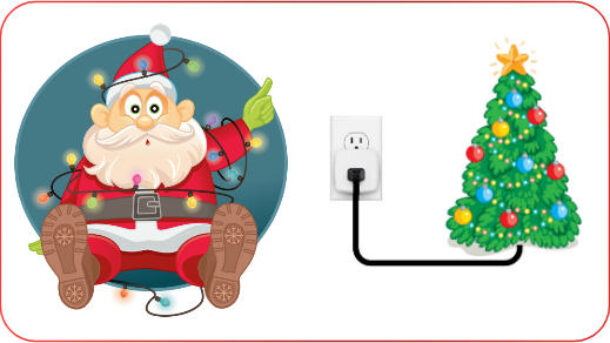
Santa With A Christmas Tree Controlled By A Hbn Smart Plug
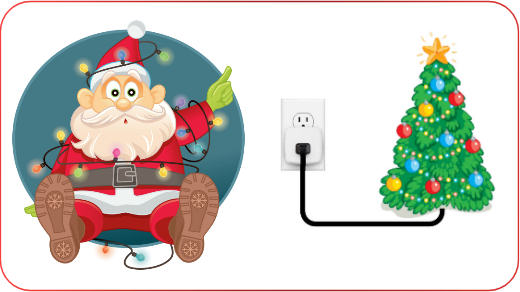
Santa With Xmas Lights

Turn on your Christmas lights the smart way

Days
Hours
Minutes
Seconds
Until Christmas

Are you tired of crawling under your Christmas tree to plugin the lights?  Or wish your Christmas lights would turn on and off by themselves at certain times? Well you’re in luck as we will show you exactly how you can  do this without breaking the bank. 

Indoor Christmas Tree Lights

You can easily turn on/off your Christmas tree lights by using a smart plug from HBN.   What are Smart Plugs? These are inexpensive devices that plug into a normal household receptacle and can be turned on or off using your phone/tablet , by setting timers or by voice commands (if you have Alexa or Google Home).  

We recommend using the HBN Smart Plug Smart Plug for the following reasons:

Making the HBN Smart Plug work on your phone

Installing the App on your phone/device will allow you to manually turn the smart plug on/off or have it controlled by the time of day. For example,  turn on at 6pm and turn off at 11pm.  

Before you begin make sure your phone/device is connected to your 2.4GHz Wi-Fi network.  

The following instructions are also available in a video.

  1. Install the Smart Life App from your App Store.  This would be Google Play Google Play Icon or the Apple store Apple-Store-Icon depending on the type of phone/device you have. The App you need is called Smart Life and will have this icon Smart-Life-IconNote: You can also use the HBN app found in the same app stores.  The setup will be almost identical to the Smart Life App.  Either will work great but in this tutorial we have chosen the Smart life

  2. Open the App and it will ask you to log in or sign up. Login if you already have an account or select Sign Up to create one.  
  3. Next you need to read the user agreement and select Agree.  
  4. On the next screen Register by providing your Country and Email address then select Get Verification Code.  They will then send you a code by email.  Enter the code on the space provided once received.  Getting the code should only take a minute or less.  
  5. You will then be asked for a Password.  Enter one and select Done
  6. We are almost there!  Select the Add Device button to add your new smart plug.  
  7. You will then be prompted to allow the App to access your location.  Continue then Select “While using the app“. 
  8. A list of devices will be displayed.  Select the Socket (Wi-Fi) under the Electrical section.
  9. Next you need to provide your network name and password.  This is needed to enable the smart plug to communicate with the App.
  10. Select Next and you should be presented with a screen asking you to reset the smart plug (if already plugged in first unplug for 10 seconds then plug it in).  Press and hold the reset/power button on the side for 5 seconds.  The button/light should start flashing to signify that it’s in the pairing state.
  11.  Select Next then confirm the indicator is Blinking Quickly.
  12. The app will then begin searching for your smart plug on your network.  This could take a minute to complete.  When done you will get a screen stating your device was added successfully.  Select Done to finish

Congratulations you are now  connected to your smart plug and able to control it with the App.  You should see a screen with a power button.  Pressing this button will turn your smart plug On or Off.

Setting up a Timer for your smart plug

Let’s set a daily On/Off timer for your new smart plug.  

  1. Select the Timer button/link at the bottom of your screen.  The Schedule screen will be displayed.  
  2. Select + Add Schedule
  3.  Select the days you want the smart plug to be switch ON. 
  4. Select the time (hour/minute) 
  5. Select the Save button.  You should now see the new ON schedule for the smart plug.  You can disable this schedule at anytime by sliding the slide switch to Off
  6. Select + Add Schedule again to add the OFF schedule.
  7. This time you need to change the action to OFF.  Select the ON link and choose OFF from the available options.
  8. Now set the Days and time as you did in the ON schedule for the OFF times/days. Then select Save.
  9. You should now see both the On and Off scheduled listed in the schedules list.
  10. Select the Back arrow at the top left of the screen to return to the main screen.
You schedules should now be functional

Naming your Smart plug

When you added your smart plug it was automatically given a default name of Switch 1 or similar. We need to change tis to something more appropriate for your switch.

  1. To name your new switch select the Edit icon on the top right of your screen.  
  2. Select Device Information
  3. Enter a new name by selecting the current name then Save 
  4. Select the Back arrow to return to the main screen.  Your new name should no be display.

You are now done with the setup.  Enjoy your new smart plug.  Remember if you run into any problems you can always visit our Community form at https://senexhome.com and post your question.  

Frequently Asked Questions (FAQ)

The most common cause for this is that phone is not on the same Wi-Fi network as the smart plug.  In order for the smart plug to communicate it must be on your 2.4GHz network.  I will not work on a 5GHz Wi-Fi network.  You phone must also be on this same 2.4GHz Wi-Fi network.

When there is a power outage in your home, the smart plug will reconnect to your wifi network automatically and will retain all  schedules and information configured. However, the plug will remain OFF when the power restores for safety reasons.

not exceed the maximum rating of what the timer can handle. Which is rated: 1875W Resistive / 15A, 625W Tungsten / 5A, 1/2 HP

Yes.  This smart plug works with alexa.

It’s a small device that plugs into a standard home receptacle.  You then plugin  items like like lamps, appliances into the smart plug.  You can then turn the device On and Off by using voice commands, time schedules or manually through a smart app. 

Related Articles

Works-With-Alexa-Badge
Works-With-Google-Assistant-Badge

Products Covered in this Article

Tuya Wireless Alarm System Review

Tuya Wireless Alarm Kit With Sensors, Siren, Keychain Remotes, Fobs And Control

Tuya Wireless Alarm Review

In this article we will be reviewing the Tuya Wireless Alarm system. This  system comes in many different package sizes so it should be easy to find one that meets your needs.  It does a good job of providing you with the all the components needed for a do-it-yourself alarm security.   

The included keypad/control connects to your local network and provides easy cloud based remote control and notifications through the Internet.  This is a good choice  for a low cost DIY project as there are no set-up or monthly fees. You can use the iOS or Android app to control and monitor your system from anywhere.  Push notifications can be sent to your smartphone whenever an alarm is activated.   

What you get

The Tuya wireless alarm package we chose included  enough devices to protect a small home or business. You can easily add more sensors to expand your system as needed.   

Alarm-Display-Keypad

Kit includes one keypad/control.  This is the brain of the system which communicates with all of the other devices in your home.  It connects to the Internet through your existing Internet WiFi router.  It  can send notifications to your phone and receives commands (arm/disarm).  

There is a built-in battery that provides standby power during a power failure.  

Keychain Remote

Package includes four(4) Keychain Remotes with 4 buttons.  Arm Away, Arm Home, Disarm and  Panic.  

Kit includes one (1) Passive Infrared (PIR) Motion Detectors.  This detector can be placed on a table or mounted on a wall and will detect movement within its field of view. Again,  you can purchase additional detectors if/when needed. Requires two AAA batteries.

Kit includes eight (8) Wireless Door/Window sensors. Requires one (1) AAA battery.

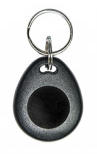
Key Fob

Two (2) RFID key fobs for easy arming/disarming of the system

Siren

One 6′ wired 100db siren.  

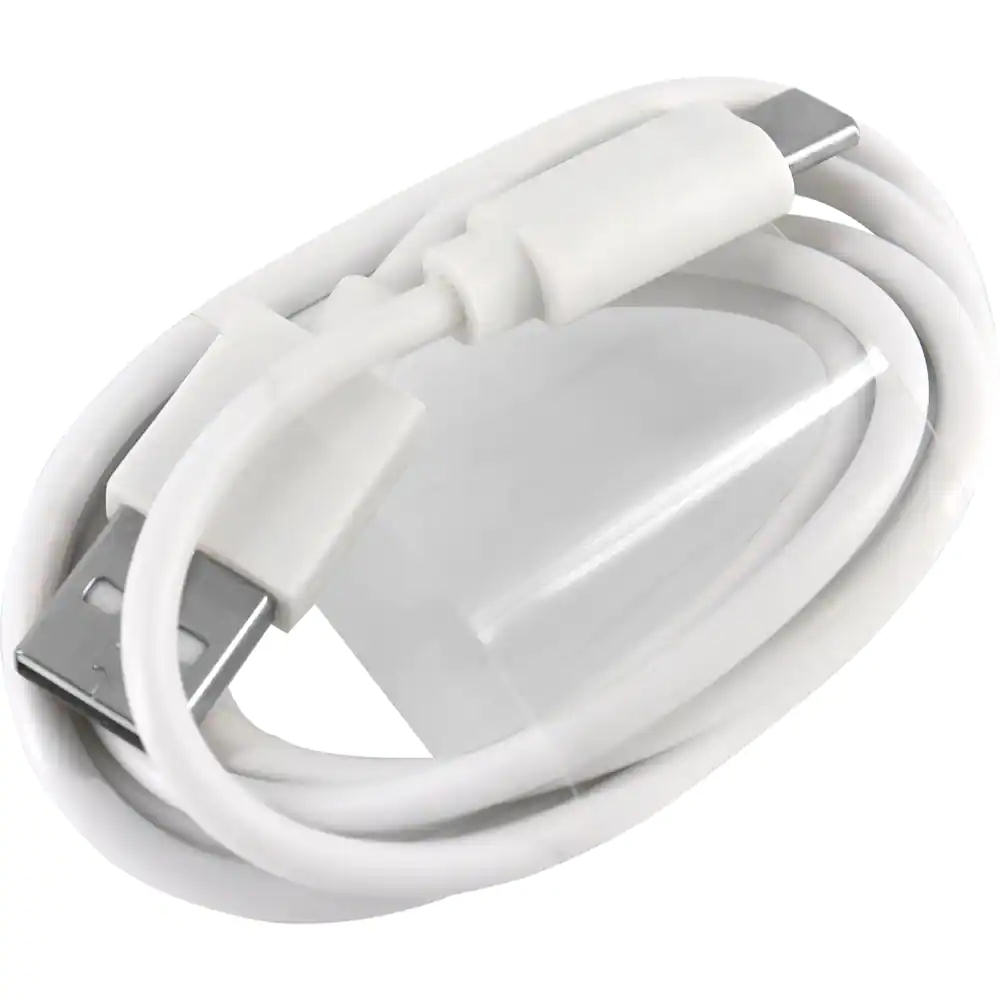
Usb Power Adapter

One power adapter with 3′ USB cable.

How does the Tuya WiFi System work?

The Tuya is a wireless alarm system so there is no need run cables throughout your home.  It will use your existing WiFi router to communicate to the iOS or Android Apps. Installing devices on your doors, windows and walls is easy. Just peel the double sided tape and mount the sensors on a door or wall.  

I found the sensors to be of fairly good quality.   However, I have found that any double sided tape will eventually dry out and the device could fall off.   I would recommend using a little bit of Silicone along with the double sided tape to provide a better mounting.

The Keypad/Control needs to be plugged onto a wall receptacle using the supplied adapter. So key this in mind when choosing a location for it.   

If you plan on mounting on a wall like a traditional alarm keypad keep in mind that both the siren and power cords need to plug into the side.  This may result in less than desirable appearance with cables running up your wall.  I found that using a adjustable stand (see below) and placing on a side table or counter is a great solution.  It hides the cables better.  Of course if you are of the handy type you could fish the wall or use wiremold to hide the cables.

The Keypad/Control connects to your existing Internet router using WiFi so there is no wire needed for this.  It just needs to be in range of your router which is normally not an issue a medium sized home.  The included siren was fairly loud at 100 decibels and does the job of warning would be intruders.

Keypad/Control sitting in an adjustable stand:

The Motion sensor was also easy to mount on a wall.  They come with a swivel bracket that allows you to angle the senor in any direction. You can mount the bracket using the supplied double sided tape or with screws.  I would always recommend screws if the installation is permanent.

Motion sensors are powered by two AAA batteries.  Depending on where they installed you could get up to a year of operation but this would be greatly reduced if in a busy area and are constantly being tripped.  In our test site the sensors located in a busy corridor lasted only 6 months.

Mounting the door/window sensor was also extremely easy.  Just peel and stick.  Again, a little silicone is recommended. Battery installation was a snap.  It uses a standard CR2032 battery.  The door sensors opened easily by pressing the side tabs and opening the motion with a small screwdriver. Another nice feature of these sensors is that they provide a LED that will flash red whenever the sensor detects the door/window is opened. 

The wireless alarm system comes with 2 RFID key fobs.  These worked flawlessly.  Just present the fob to the RFID location on the keypad/control instantly toggles the system status on/off.   

These Key Fobs makes arming/disarming your system quick and easy.  Its construction looks like it would withstand a lot of abuse.  It’s size is smaller than most which makes carrying around on your keychain  almost unnoticeable.

Four keychain remotes are also included in this package.  These allow you to arm/disarm and activate a panic alarm.  You can also arm your system in the Home mode.  

Mobile App - Smart Life

This wireless alarm system uses the Smart Life App which can be download from the Google Play store or  Apple store.  This App is used by many different products and I found it to be very reliable.  

The only issue I had was finding the Tuya WiFi wireless alarm system within the many many screens of products.  I eventually found it under Sensors then Alarm (WiFi).  Once I found this I was able to install and connect to the alarm with no issues.

The App has all the normal functions such as Arming Away, Arming Home,  Disarming and SOS (panic) on the main screen.  You can access the alarm History from here as well.  The top portion of the Home screen displays your current status. Overall a nicely laid out screen which was easy to use and understand.

The Smart Life home screen:
Tuya Alarm Life App Main Screen

Pro's & Cons

Pros

  • Great price. A very inexpensive way to get started with a wireless alarm security system
  • No monitoring fees or long term contracts
  • Expandable.  You can add up to 100 devices at any time.
  • Loud internal siren
  • Uses standard batteries which are easily obtainable
  • Works great a WiFi based system

Cons

  • This wireless alarm system does not monitor(supervise) its sensors which means if for any reason a sensor is unable to communicate to the keypad/control you will not be notified.  This could include dead batteries, RF interference or the sensor being physically removed from premise.  
  • Uses old 2G cellular technology which is difficult to find still functional in USA and Canada .  This leaves the  GSM communications feature as really not feasible. 

Conclusion

This system would be a good choice for those wanting a very inexpensive system and can live with frequent testing to ensure all sensors are still functioning (lack of supervision).  However, with no supervision there is no guarantee that a sensor will function when it needs to.

If the cheque book can afford it I would recommend a more professional grade system that has supervision.  If not, then this wireless alarm system would is one of the better low cost systems out there.

Related Article

Tuya Wireless Alarm Installation

Products Covered in this Article

SenexAutomation.com is a participant in the Amazon Associates Program, an affiliate advertising program designed to provide a means for sites to earn advertising fees by advertising and linking to Amazon.ca or Amazon.com. As an Amazon Associate, I earn from qualifying purchases.